 DM Assist

DM Assist
This is the program that I've been working on for several years now. How long have I been working on it? The first preliminary program was written in AMOS on an Amiga 500 (does anyone even remember those computers???). I keep changing things at a frantic pace, which is why I haven't gotten any further with finishing it. I'm in the middle of another massive rewrite (I keep finding things I should have added, and with all the new manuals coming out, it's tough to keep up with what changes need to be made) to add some functionality (I have it set up in armor/shields and weapons that you can limit the alignment of an intelligently rolled item, it didn't make sense to have the chance to roll up a lawful good aligned suit of Demon Armor, but didn't include that in rings, for example, and I'm coming across more items that should have that functionality also), and to also try to get the executable a little smaller and take up fewer resources, it was a bit of a hog.
One of the most frustrating things, for me anyway, was to be researching a spell that one of my characters wants to cast and I can't remember what sourcebook it came out of, or even worse, what issue of Dragon Magazine it came out of. A close second though is when you look up a spell and it says "same as <such and such> spell, except" so you have to look up two spells. As an example.
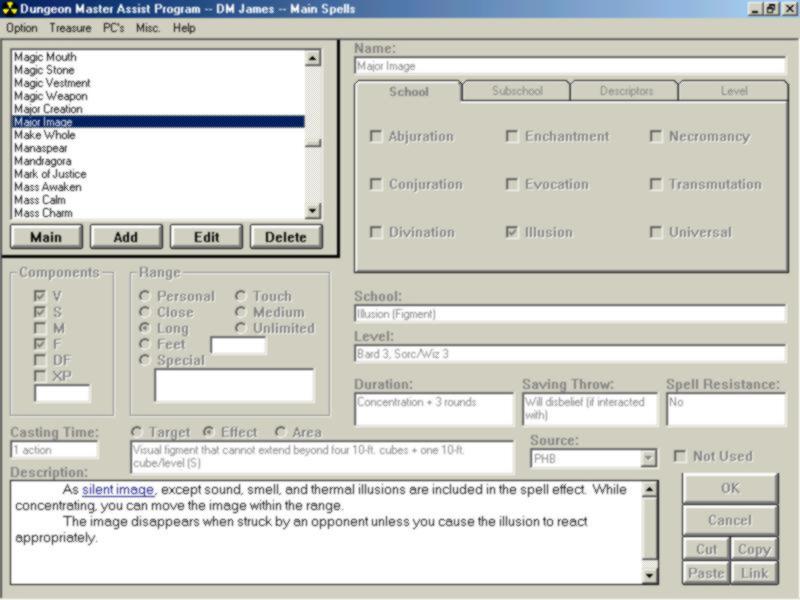
This is the main spells page. Each of the properties of this spell can be customized by you as a DM. If you decide that Major Image is a 3rd level cleric spell (or even as a Domain spell or Prestige Class spell), you can add that and it will only be that when you are logged in as the DM in the program. Notice the "Not Used" checkbox in the lower right hand corner. If you find a spell (or weapon or potion) that you don't like and don't want used, you edit the item and click on Not Used. That item will never be rolled up as a random item or (in this case) will not appear in any of your spell lists.
As I said before, I hate the "as <such and such> spell, except" part. Notice that "silent image" is a link.
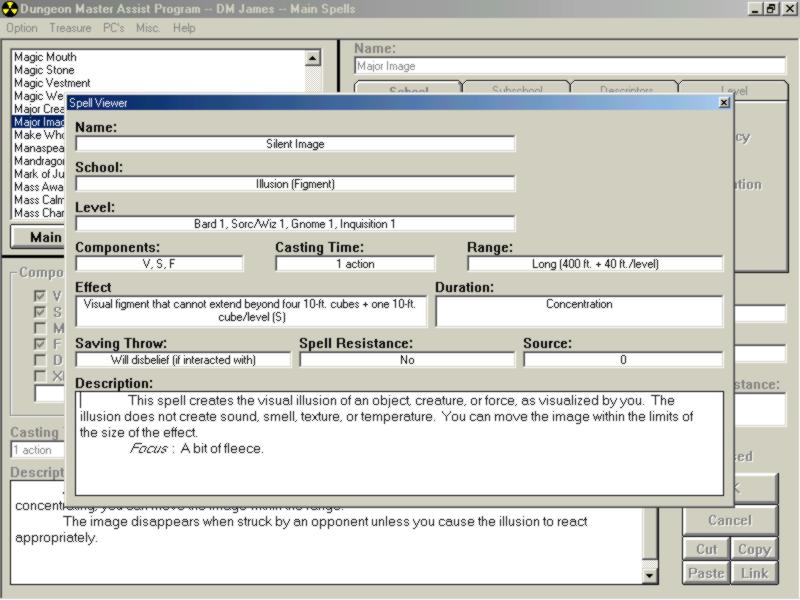
When typing the description, you can highlight a section of text and link it to anything: weapon, weapon ability, potion, spell, etc. It will eventually be able to link to monsters, skills, feats, and so on. This will come in handy when I get the mapper finished and you can type in the spell caster's spell list with links to each spell, feat, and skill.

The background is most of the guys from the group that I play with. Multiple DM's can be put on the same computer and it will remember each DM's settings in Preferences.
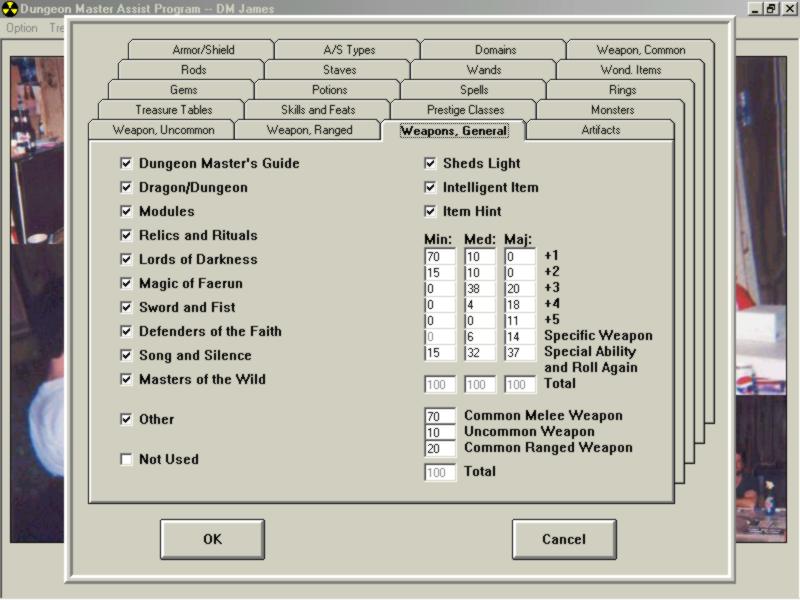
If you, as a DM, only want weapons from the DMG, you just uncheck all of the checks except for DMG. The "Not Used" checkbox will allow you to bring up items that you have marked as Not Used, but you've changed your mind about. You can then go back in and uncheck those items. The "Intelligent" and "Item Hint" checkboxes are on other tabs also (Rings, Wondrous Items, etc.) to customize your campaign. If you don't want intelligent rings, there will never be an intelligent ring rolled up. You can also change the percentage of the pluses for random generation, again, only for your campaign.
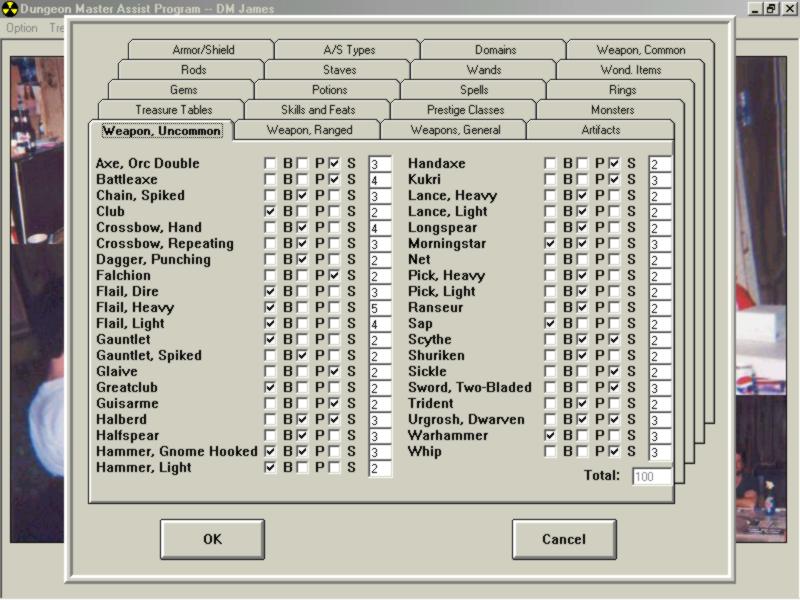
You can change the weapon type and percentage chance of getting each weapon type also. I will eventually have to add a section to put in custom Exotic Weapons types and others out of newer sourcebooks, with a chance of getting those also (further down the line).
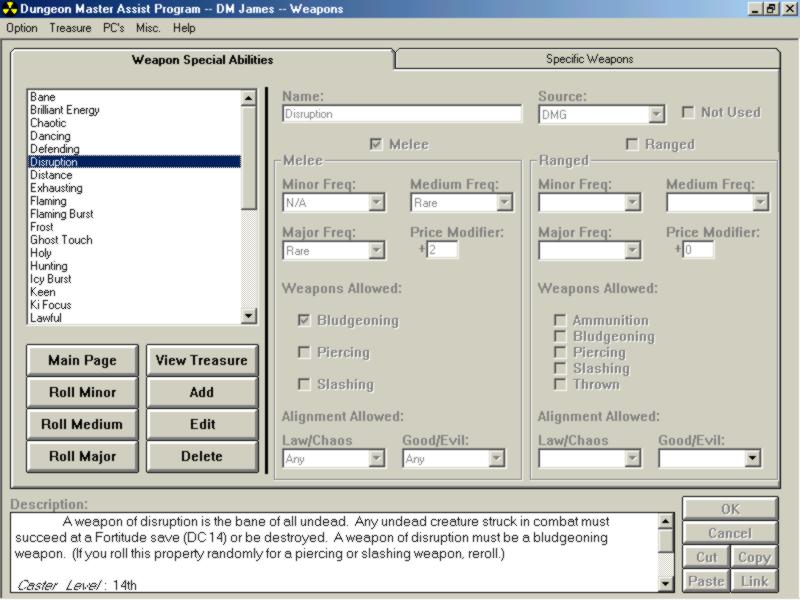
This is the Weapon Special Ability page. This is one area where I can show you some of the liberties I took on setting this up. The Minor, Medium, and Major frequencies are set up using an old table out of (I believe) the Monstrous Manual. It gives the following frequencies: 4% chance for Very Rare, 11% for Rare, 20% for Uncommon, and 65% for Common. I was a little short-sighted when setting the frequency of items. When putting the items in, I was just putting a "Rare" frequency if the item was listed in that column. Which gives you an equal chance for getting any item. For example: On the Medium column for Rings (DMG page 192), you have a 10% chance to get a Protection +2 ring, but only a 1% chance for getting a Wizardry III ring. With the DM Assist, you have an equal chance for both items (and all other items in that column). I may need to re-evaluate that on a case by case basis. I also set up the "Alignment Allowed" for this section. It didn't make sense to have a "Chaotic" enhanced weapon that ended up intelligent with a Lawful alignment. Now that I'm going through the Rituals and Relics sourcebook, I've found a Wondrous Item that has an alignment restriction.
As you are setting everything up for your campaign setting, you can also select the percentage chance of rolling each CR type.
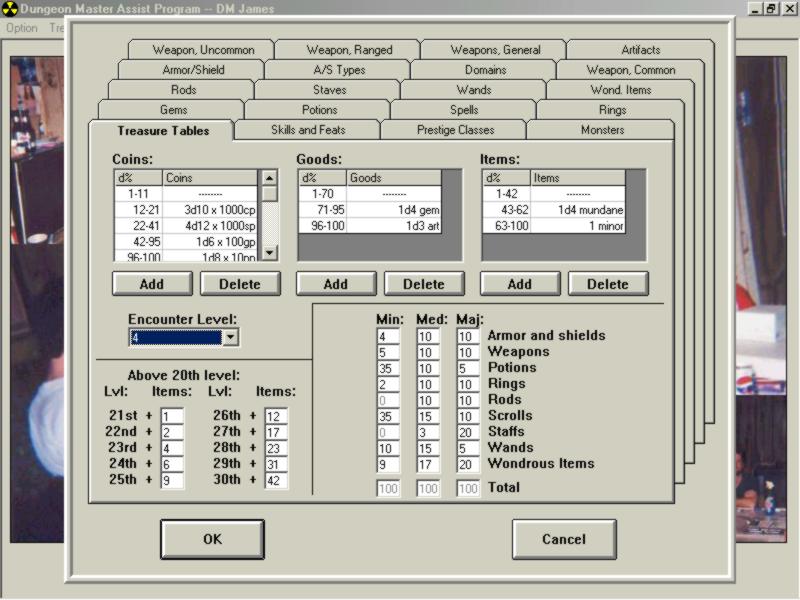
With that information set up, you can begin rolling up treasure by CR (or EL). I have to admit that I don't yet have "art" or "mundane" magic items set up yet, but they are also on the list.
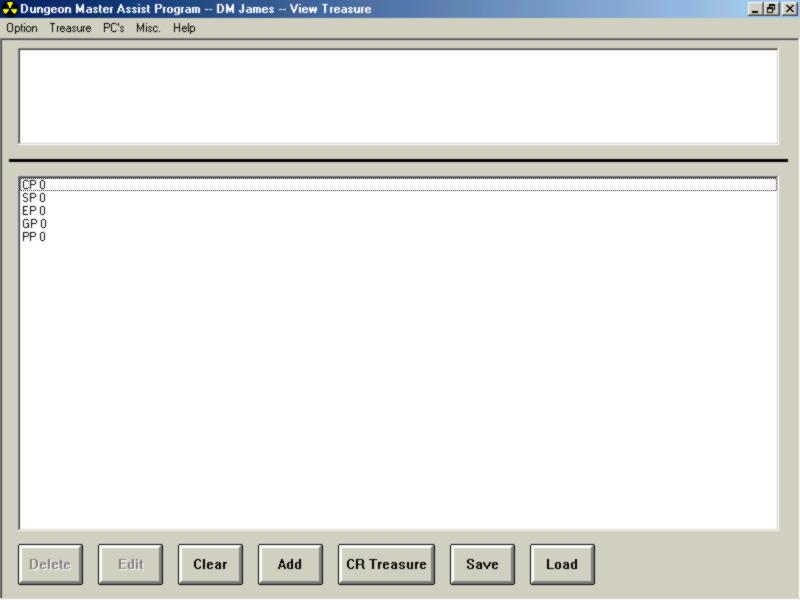
This is the main treasure list screen. On the weapon ability screen, you saw the "Roll Minor," "Roll Medium," and "Roll Major" buttons. When clicked, they will ask for the number you want rolled, and each is added to this screen. All items have similar buttons, but if you want a treasure rolled up by CR, you just click the CR Treasure button and type in a number from 1 to 30.

Tada!!! As you can see, this version still rolls up gems using 2nd Edition rules. I already had this part working when 3rd Edition came out. I'm working on a new version that will have 3rd Edition gem generation. But if you wanted a real ass kicking sword added to that list, you click on the Add button.
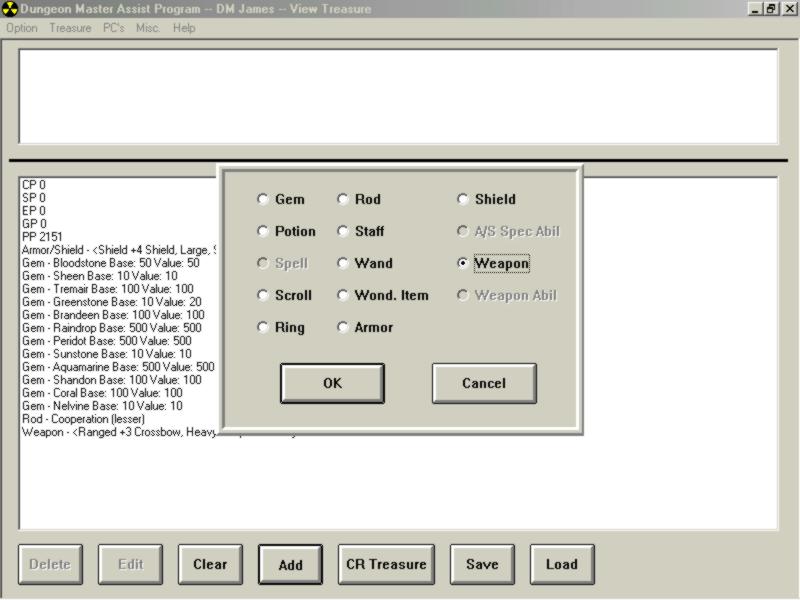
You can add any of the enabled items to the list. By the way, this is also the screen that pops up when you want to create a link in the description text, but with different things disabled. If you want to add a sword, you click on weapon.
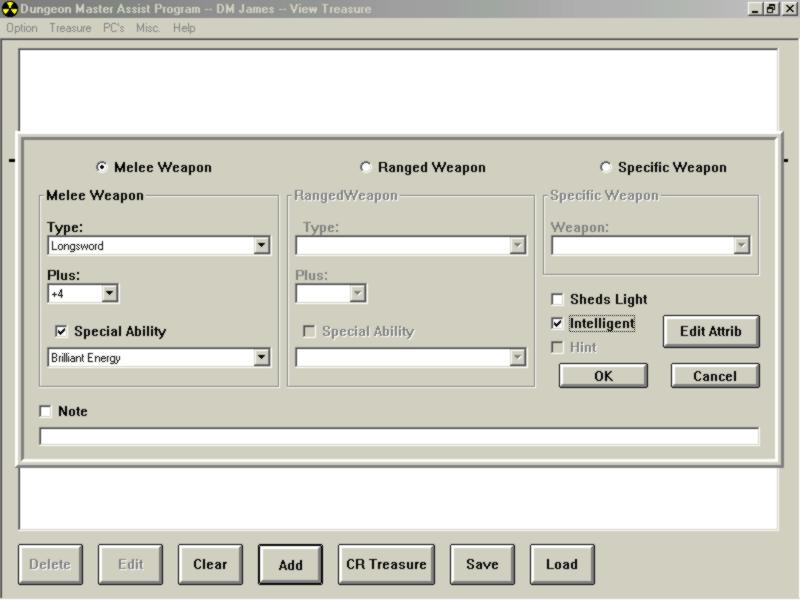
As you can see, I've chosen a +4 longsword with the Brilliant Energy special ability. I've also checked that it's an intelligent weapon. You then click on Edit Attrib.
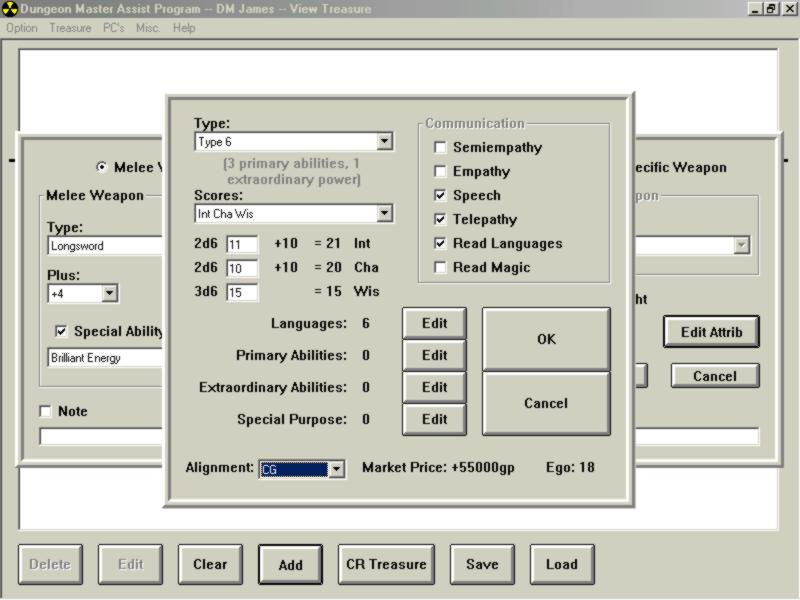
I decided on a Type 6 Intelligence, which gives me 3 primary abilities and one extraordinary power. I selected stats and an alignment. Notice the ego is only 18. That's because I haven't selected any primary abilities yet.
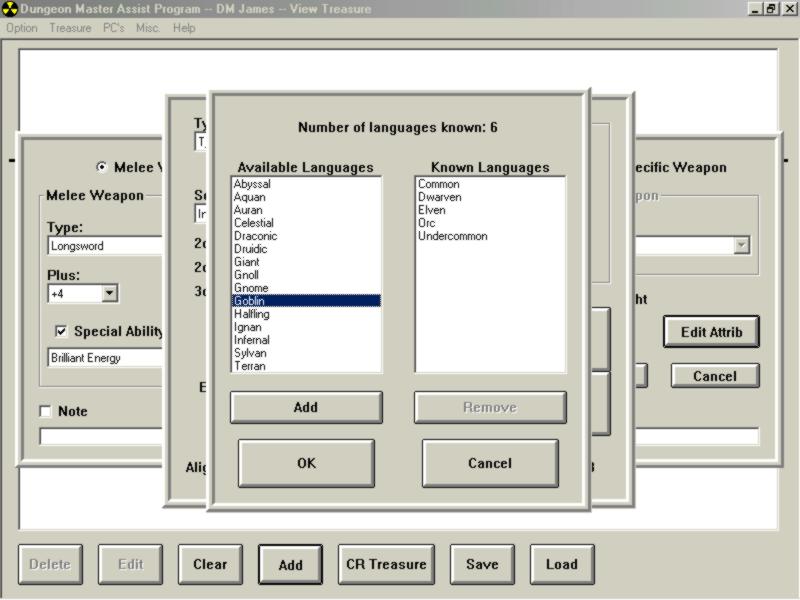
This is where you add known languages.
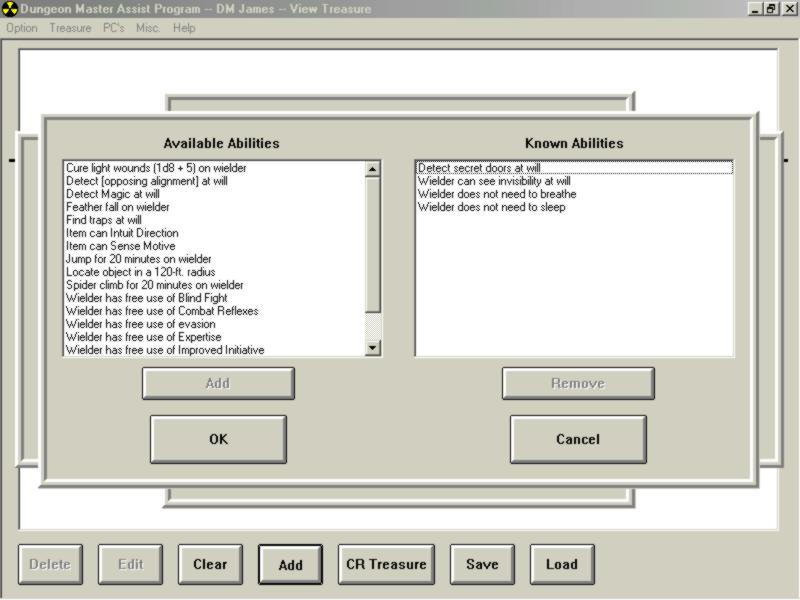
I decided to give the weapon 4 special abilities instead of only 3.
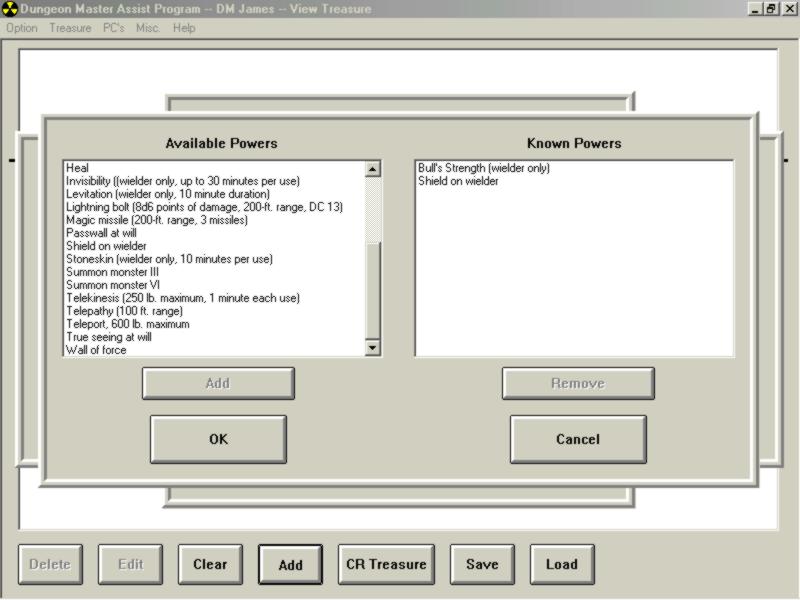
I also decided on 2 extraordinary powers instead of only 1.
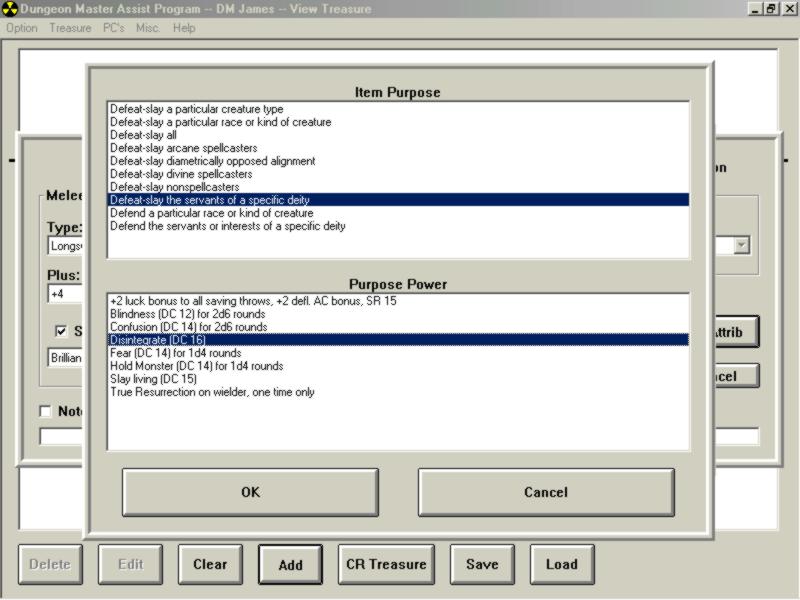
Then, just because I can, I added a Purpose and Purpose Power.
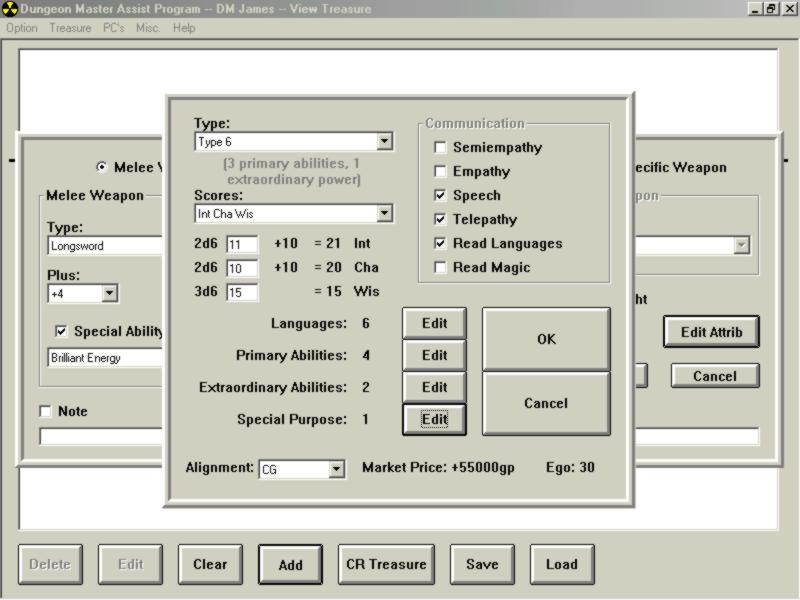
I haven't checked, but I think it's calculating Ego correctly. At this point you would click OK a couple of times and the weapon should have been added to the treasure list. It did add the weapon, but it didn't have the Intelligent weapon abilities added on. That part used to work, but evidently I changed something I wasn't supposed to. Bugs in my program??? Not a chance!!!!
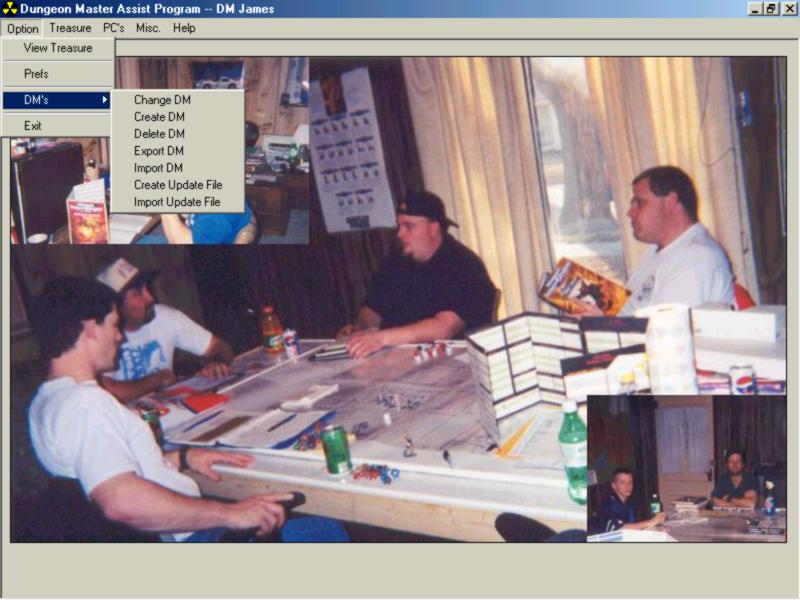
This is the last section I was working on in Version 1.0, specifically, the "Import Update File." I wanted to get this going so I could employ the help of the other guys in the group with data entry. I can "Create Update File" and e-mail that to the other players in the group. It will make a list of anything I have that they don't and vice-versa. That file will sent back and will update my computer with items they have that I don't and then I can resend the file and it will update their computer with what I have that they don't. It's fighting me tooth and nail at this point. To complicate things, I bought a control and started working on the mapper. I NEVER should have done that.
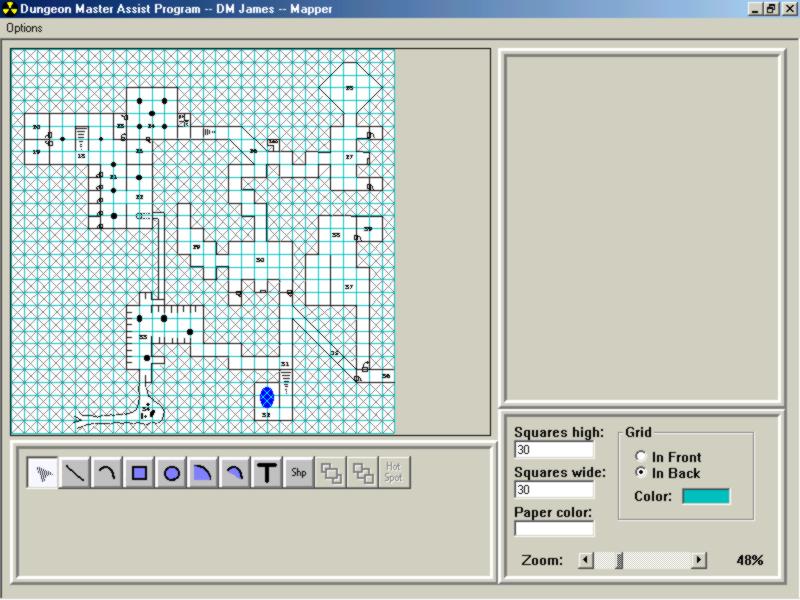
This is the first map I made, once I had MOST of the controls going. The "Shp" button is going to be for adding shapes (bitmaps). On a fresh map, you enter the number of squares you want on your graph and it draws the paper. The map is the basement level of the Moathouse Ruins outside Hommlett in "Return to the Temple of Elemental Evil." The map is complete except for the marking of secret doors, which will be a bitmap image. Notice the Zoom scroll bar in the lower right hand corner?
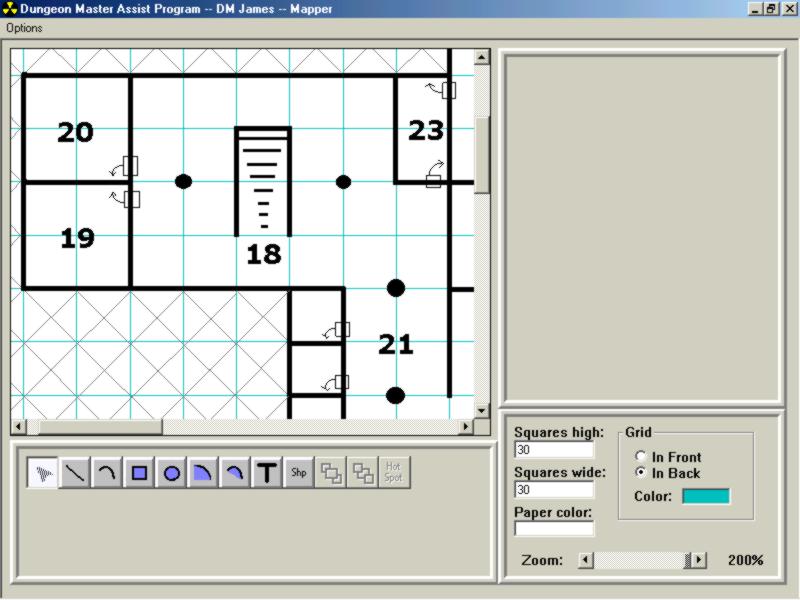
We always get into arguments about which way the door opens, and which 5 foot section of the wall the door is in (plus we argue about whether the door is 5 feet wide or 10 feet wide). Eventually the doors will be bitmaps too. I need to work on a bitmap editor before I can do that though. Doors will be colored different (brown for wood, gray for stone, and maybe a darker gray for steel, or something like that). There will also be shapes for tables, which you can stretch to make longer or taller. Also, anything on the map will be able to be rotated at any angle. There will be buttons to flip an object 180 degrees, either horizontally or vertically. The "Hot Spot" button that is disabled will be a link maker, except it will make links to room descriptions. When not in "edit mode," clicking on a link will bring up that room description, complete with monster inhabitants, treasures, traps, etc. On a side note, the gray angled lines on the map are not a "floodfill." I killed a LOT of time drawing those in one at a time. That may be added at a later time, but I'm not in any hurry for that yet.
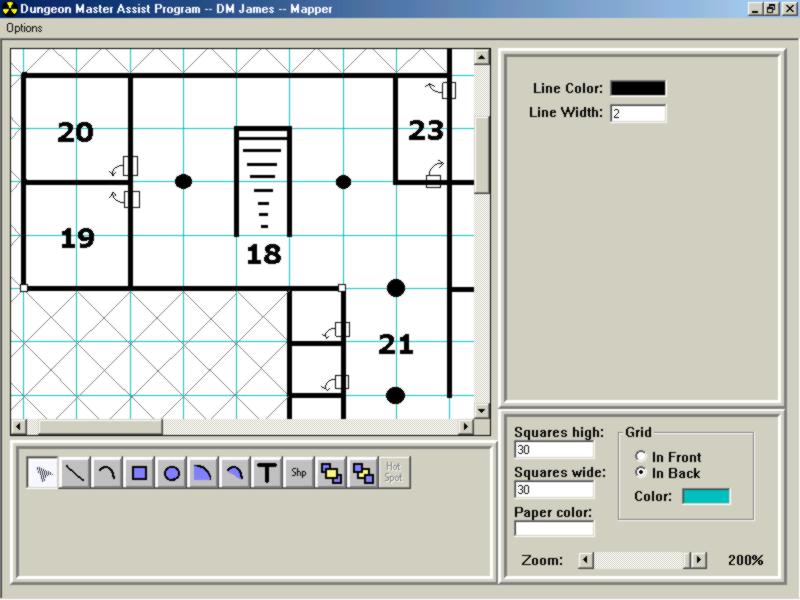
You can change the line color and thickness of each line.
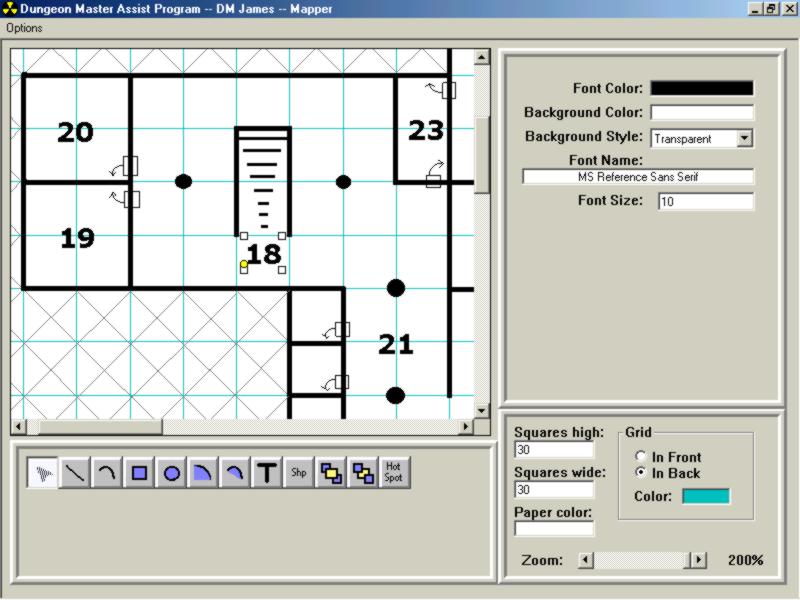
You can change font and font size as well as color for the text. There will be another control on the right for what the hotspot link is pointing to.
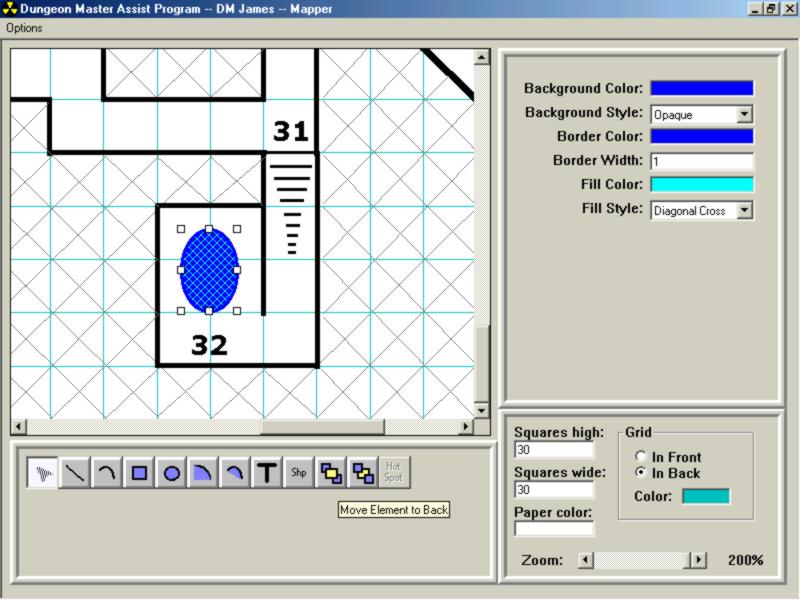
These are the attributes for drawing ellipses that can be edited.
The bitmap shapes will also be sent back and forth in the Update section I talked about earlier, along with everything that will be added: art, mundane items, skills, feats, and monsters. One of the other DM's in the group wants an NPC generator, and that may be implemented (in an extremely crude form) after skills and feats, but before monsters. I haven't decided yet.
I added a form that "counts" the items I've put in so far: 154 gems, 89 potions, 988 spells, 71 domains, 64 rings, 53 rods, 22 staves, 69 wands, 374 wondrous items, 46 armor/shield abilities, 24 specific armors, 11 specific shields, 35 weapon abilities, 72 specific weapons, 22 primary abilities, 25 extra powers, 8 purpose powers, 10 item purposes, and 20 languages.
Anyway, that's the end of my long winded rant. I'm just looking for more opinions and maybe some suggestions for improvement. Let me know what you think.
Version 2.0
I'm working on the new and improved version now.
The Preferences screen has been completely overhauled to try to remove some of the overhead of the program.
Updated 10/08/02
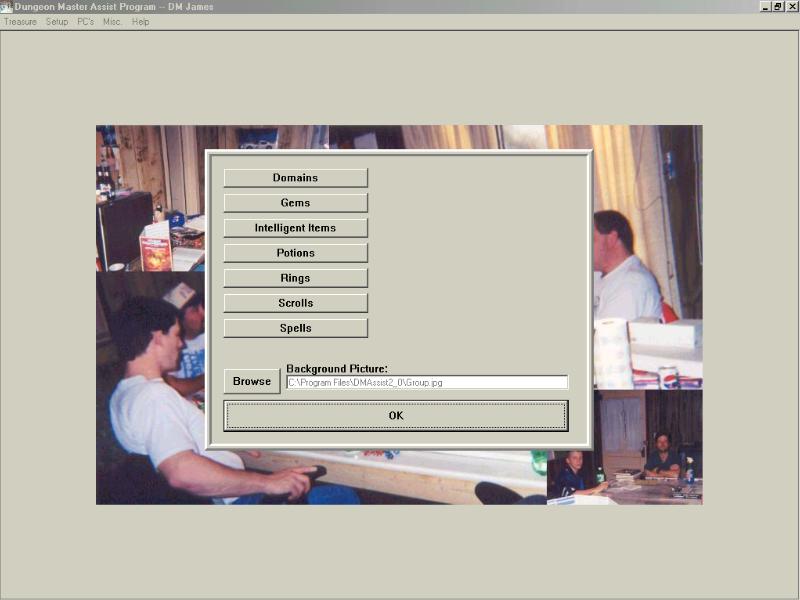
As you can see, there is FAR less clutter on the Preferences screen. As I add new sections, there will be another command button that takes you to each section.
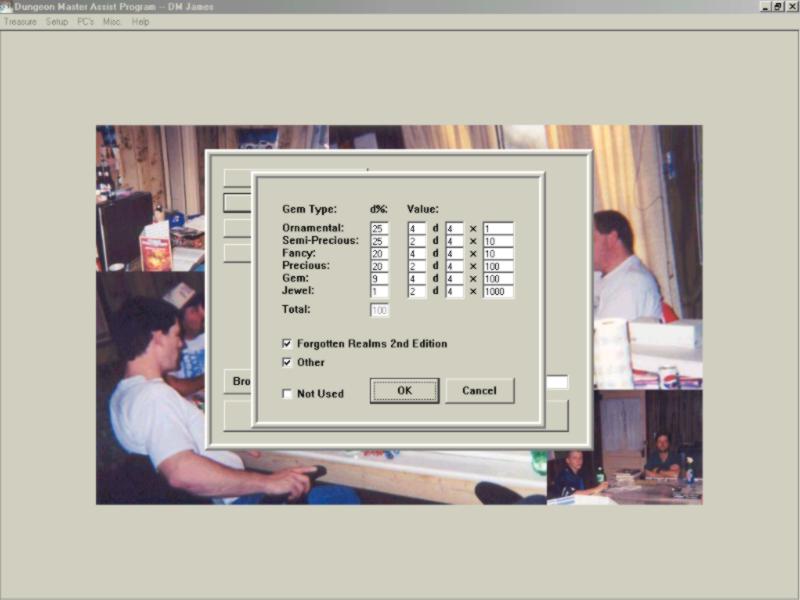
This is the Preferences screen for the Gem generator. Each of fields is customizable to your campaign. I kept the gem class names from 2nd Edition for my familiarity.
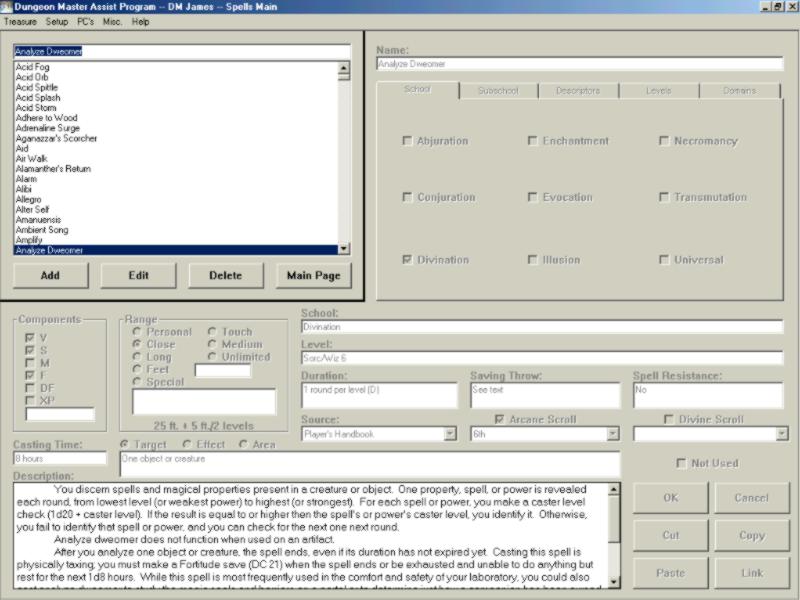
This is the Main Spells page. Not much has changed, with the exception of a Domain tab (Prestige Classes are on the Level tab where Domains used to be) and the addition of Arcane and Divine Scroll check boxes. I wasn't sure how to approach this section, so I decided that if it was a base Cleric or Druid spell, it was a divine scroll (Cleric level if Druid and Cleric levels do not match) and an arcane scroll if it was a base Sorc/Wiz spell. If you come across a Domain or Prestige Class that you want to have as a scroll, you can change that for your campaign.
Added 9/25/02
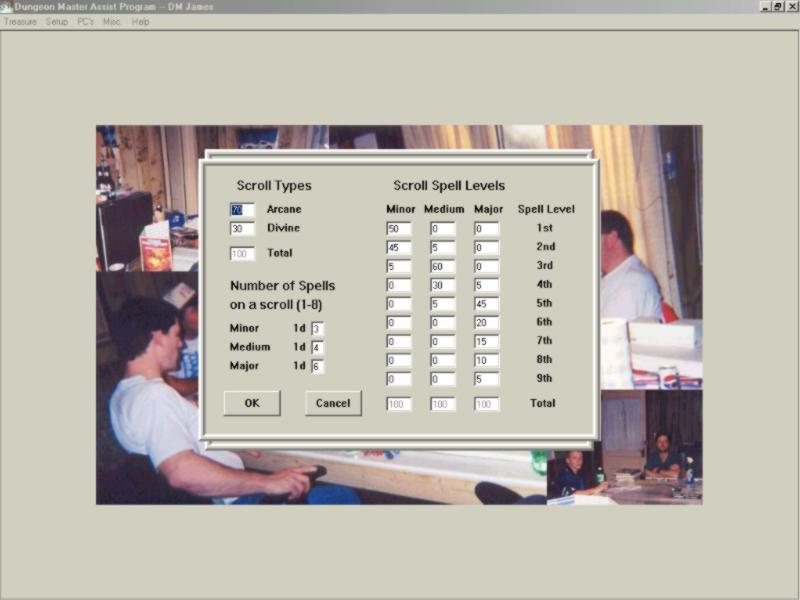
This is another feature added in Version 2.0. You can now set all the percentages for rolling up scrolls. This is, of course, the default settings, exactly as they are in the DMG.
Added 11/15/02
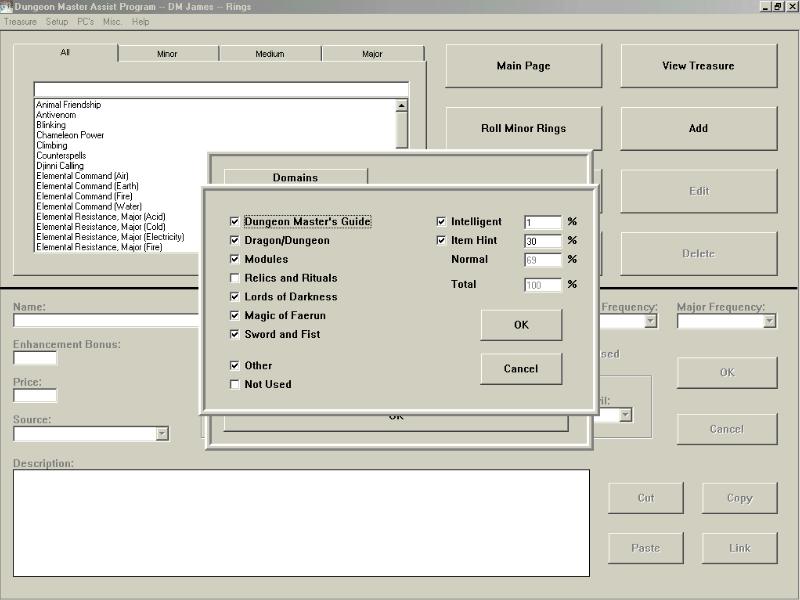
Rings have been complete for some time now, but I've been at a standstill with getting the Intelligent Item editor to function as well as look decent. This is something else that is new to Version 2.0. You can adjust the percent chance for rolling intelligent rings or for having a Hint on the items. If you uncheck and then check the box again, it restores it to default (DMG) settings.
Added 11/15/02
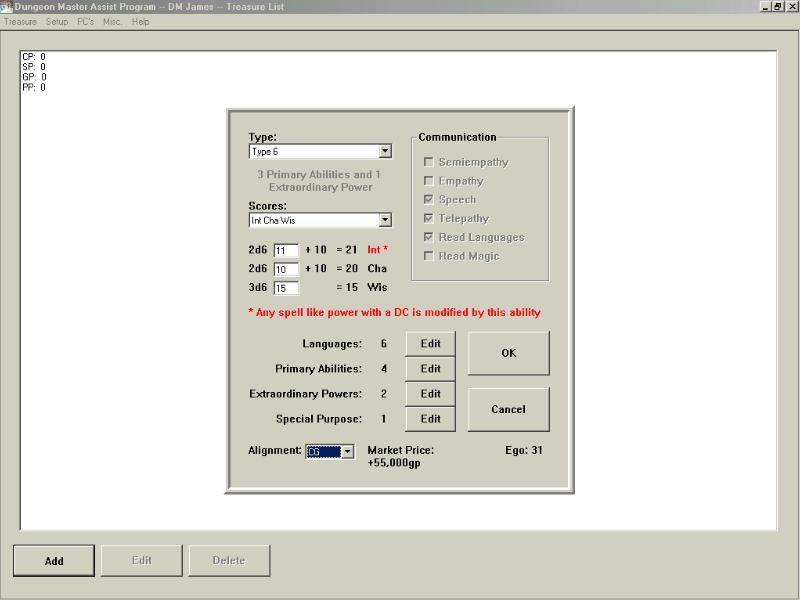
This image shows something else that has improved in Version 2.0. The first Ability of the three rolled for the item will affect the DC of any spell like effects that the item can "cast" (including Purpose Powers). When you change that ability (either by changing the roll or by changing the Type), the DC will be adjusted accordingly. It also correctly adjusts the Ego of an item when editing. If you roll up an Intelligent Ring of Protection +1 and then change it to a Ring of Protection +5, the Ego goes up by 4 automatically. That was something I planned on doing in the first version, but never got around to it.
Added 11/15/02
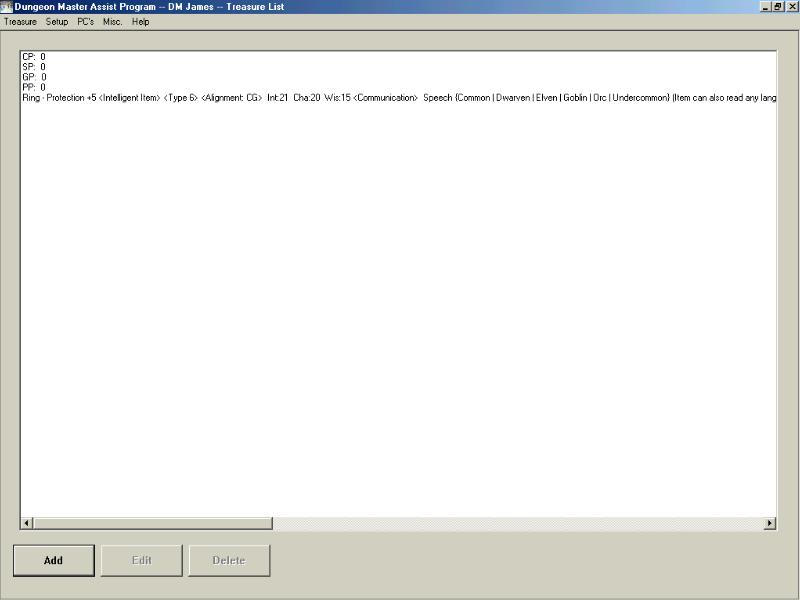
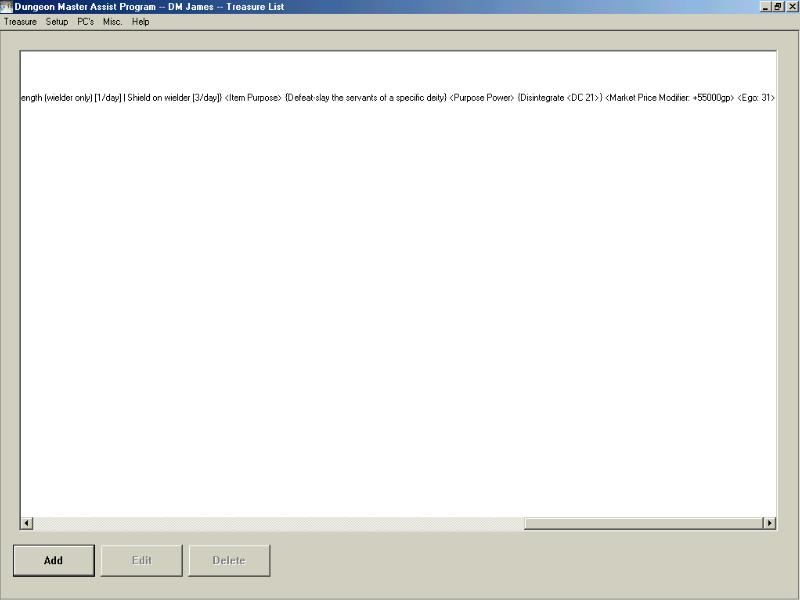
I wanted to show that I had fixed the Intelligent Item generator by making a ring that is exactly like the "kick ass longsword" I tried to generate in the old version. This is what the output now looks like. This is the first part and last part of the page.
Added 11/16/02
I have 99% of Rods done for Version 2.0, but I've found a problem. A problem that affects Rings also. Once again, I outsmarted myself, and I'll be kicking myself for it. After rolling up any number of rings or rods, you can edit them in the "View Treasure" screen shown above. I screwed up and haven't been checking the base item to see if it is an item that can be intelligent or if it has charges, and the omission can REALLY cause havoc with the data. I think I can fix it pretty easily, but I was early this week (and for the next 2 weeks) and my brain is a little fuzzy this late in the day (7:00 PM). I had really hoped to have Staves and Wands finished by Monday, but I don't think that's feasible at this point.....
Added 11/17/02
My above screwup has been fixed. I have a start on Staves, but it was a late start due to my having to watch the last race in the NASCAR season.....Congrats to Tony Stewart (he wouldn't have won it if Sterling Marlin hadn't been hurt)!!!!!
Added 11/28/02
Staves are complete.
Added 11/29/02
Wands are also complete.
Added 02/03/03
Wondrous Items are now added.
Added 05/09/03
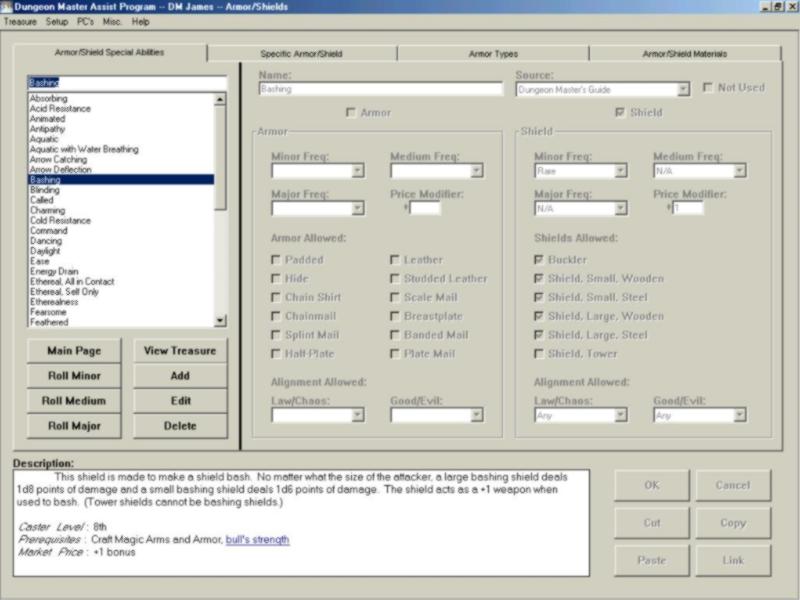
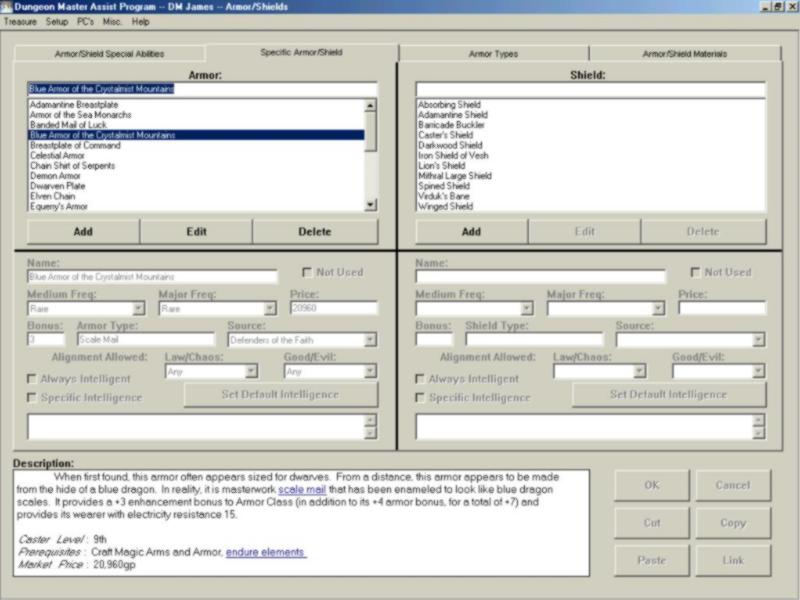
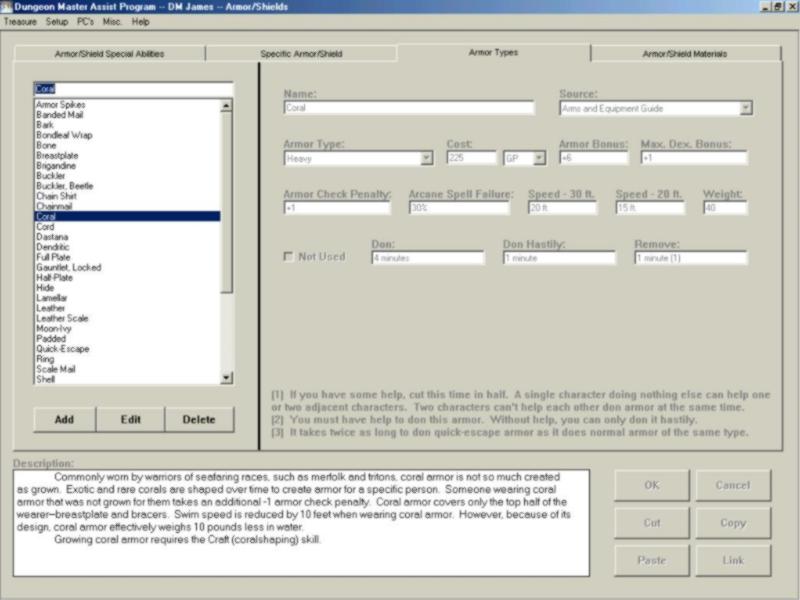
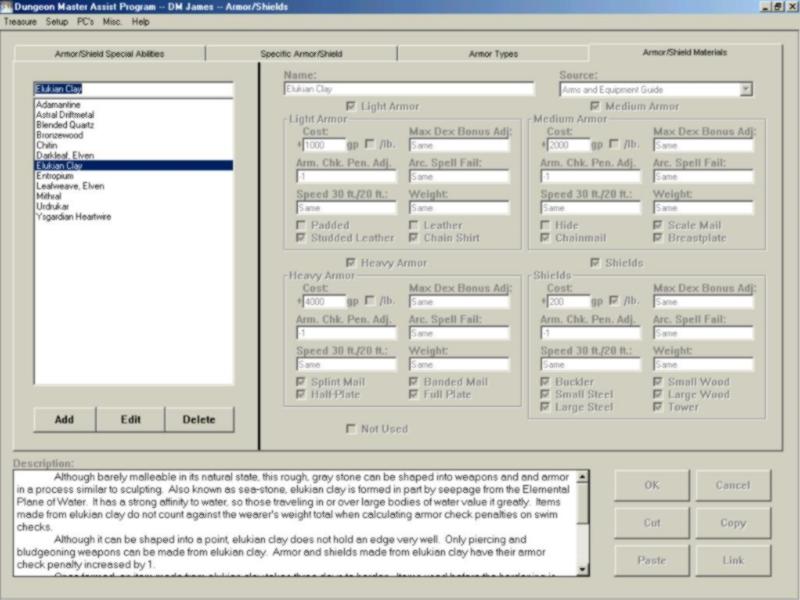
I FINALLY finished Armor and Shields. This one was TOUGH!!!! I had a problem with one of the OCX's that I purchased. I downloaded the update for it and had nothing but problems. That led me to find more and more bugs (some with my programming, and some with the OCX). The good news is that my frustration will eventually lead to a shorter beta-test.....I'm finding most of the bugs before the beta-testers get a chance!!!! LOL
Added 05/16/03
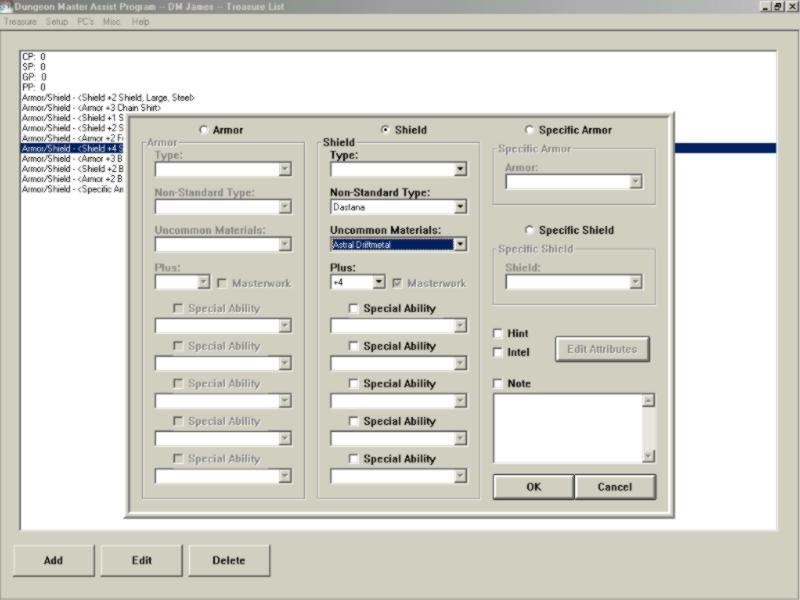
I realized that I had added Armor/Shield types and materials, and then didn't show them off. Here is a new type of shield (similar to bracers) made with a new type of metal. You can still add pluses and special abilities to them (as well as make them intelligent.
More images will be added as I complete sections. All feedback is welcome, and all reasonable requests for added features will be evaluated for implementation.